
governance
Shadow AI detection: how to find unsanctioned AI use
How to detect shadow AI in a company: the signals that reveal unsanctioned AI tools and agents, what detection cannot see, what European law allows, and what to do next.
- #shadow-ai
- #governance
- #ai-security
- #roles

What is shadow AI detection?
Shadow AI detection is the practice of finding the AI tools, accounts and agents that employees use for work without the company’s approval, and understanding what they use them for. The second half is the one most programmes skip: a log can show that someone opened ChatGPT, not which customer file went into it or which task it replaced.
Network monitoring, cloud access security brokers and browser audits are real detection tools, and they work. What they rarely explain is why the employee went around the approved tools in the first place. At the AI & The Future of Financial Services conference held by EU Business School on 16 November 2026, Jean-Noël Ardouin, partner in financial services consulting at EY, described clients who claim they take no risk because they do not allow AI: “I mean, come on, that’s a joke, because the employees will just use their personal ChatGPT account or Claude account, and that’s what we call shadow AI.”
How widespread is shadow AI in 2026?
Widespread enough that detection should start from the assumption that it exists. In a study by Qualinsight of 1,030 professionals in French-speaking Switzerland, cited by PME in July 2026, 27% of people who use AI at work do so without approval from their company or its IT department, and 49% say their company has set no clear rules on AI.
The first figure counts AI users, not all employees, and it covers one region. It still matches what practitioners report. An AI agent specialist who advises Swiss companies told skilder in August 2026 that he sees employees processing customer data and running billing tasks on personal Claude subscriptions, without management knowing. For broader context, the shadow AI statistics for 2026 gather the main European and global surveys.
If you need the basic vocabulary first, start with what shadow AI is and why it appears.
How do you detect shadow AI in your organisation?
Combine six signals rather than relying on one tool: identity logs, network traffic, managed devices, expense claims, the configuration of AI agents, and a direct question to employees. Each signal sees a different part of the picture, and only the last one tells you what people were trying to achieve.
- Identity and sign-in logs. Your identity provider shows work accounts used to sign in to AI services and the OAuth consents employees granted to third-party AI apps (“sign in with Microsoft” or “sign in with Google”).
- Network and DNS traffic. A secure web gateway or a cloud access security broker, such as Microsoft Defender for Cloud Apps, Netskope or Zscaler, classifies traffic to generative AI services and scores their risk.
- Managed devices. Endpoint tools list AI browser extensions, desktop assistants and locally installed models.
- Expenses and procurement. Monthly reimbursements for a ChatGPT Plus or Claude Pro subscription are some of the clearest signs that a team needs a tool it does not have.
- Agent configuration. Developers and power users connect MCP servers (the Model Context Protocol lets an assistant call external tools) to Claude Desktop, Cursor or VS Code. Those servers act with the employee’s credentials, which is the shadow MCP problem.
- A direct question. A short, anonymous survey announced with an amnesty brings out uses no log will catch, including the task behind each one.
| Signal | What it shows | What it misses |
|---|---|---|
| Identity logs | Work accounts and OAuth consents | Personal accounts |
| Network and DNS | Traffic to AI services from company devices | Phones, home networks, content |
| Managed devices | Extensions, apps, local models | Unmanaged devices |
| Expenses | Paid personal subscriptions | Free tiers |
| Agent configuration | MCP servers and their permissions | Configurations outside managed devices |
| Survey | Tasks, data used, reasons | Uses people prefer not to declare |
What can shadow AI detection not see?
Detection sees tools, not intentions. It does not show which document was pasted into a prompt, whether the result was checked, or which approved tool failed the employee. It also misses most of what happens on a personal phone, and it struggles with know-how that travels as files: prompts and skill files copied from one colleague to the next.
Three blind spots matter most for an executive committee:
- Content. A connection to an AI service says nothing about whether personal data or trade secrets left the company.
- Agents. An assistant that calls tools through MCP can read a mailbox or update a CRM with the employee’s rights. The traffic looks like normal use of an approved application.
- Purpose. A log cannot tell a curious test from a weekly process that the business now depends on.
This is why the shadow AI risks rarely come from one spectacular leak. They come from routine tasks that nobody can audit, because they run outside any account the company manages.
Is it legal to monitor employees’ AI use in Europe?
Yes, within limits. Looking at which tools are used on company systems is generally possible, but the measures must be proportionate, transparent and announced in advance. The General Data Protection Regulation (GDPR) in the European Union and the revised Swiss Federal Act on Data Protection (FADP) both apply to the logs you collect.
In practice, keep detection at the level of tools and data flows rather than individual behaviour, tell employees what is reviewed and why, and limit who can read the records. In Switzerland, the Federal Data Protection and Information Commissioner publishes guidance on monitoring in the workplace. Check your own case with your data protection officer before you start.
Detection without rules leaves you with findings you cannot act on. David Raedler, lawyer and professor of employment law at the University of Lausanne, put it plainly in PME in July 2026: “The minimum is to set rules.”
What should you do once you find shadow AI?
Treat each finding as a demand signal before you treat it as a breach. Announce an amnesty, sort the uses by the sensitivity of the data involved, give people an approved path in the assistants they already use, then write the rules with the teams concerned. Banning tools without an alternative pushes the same use onto personal phones.
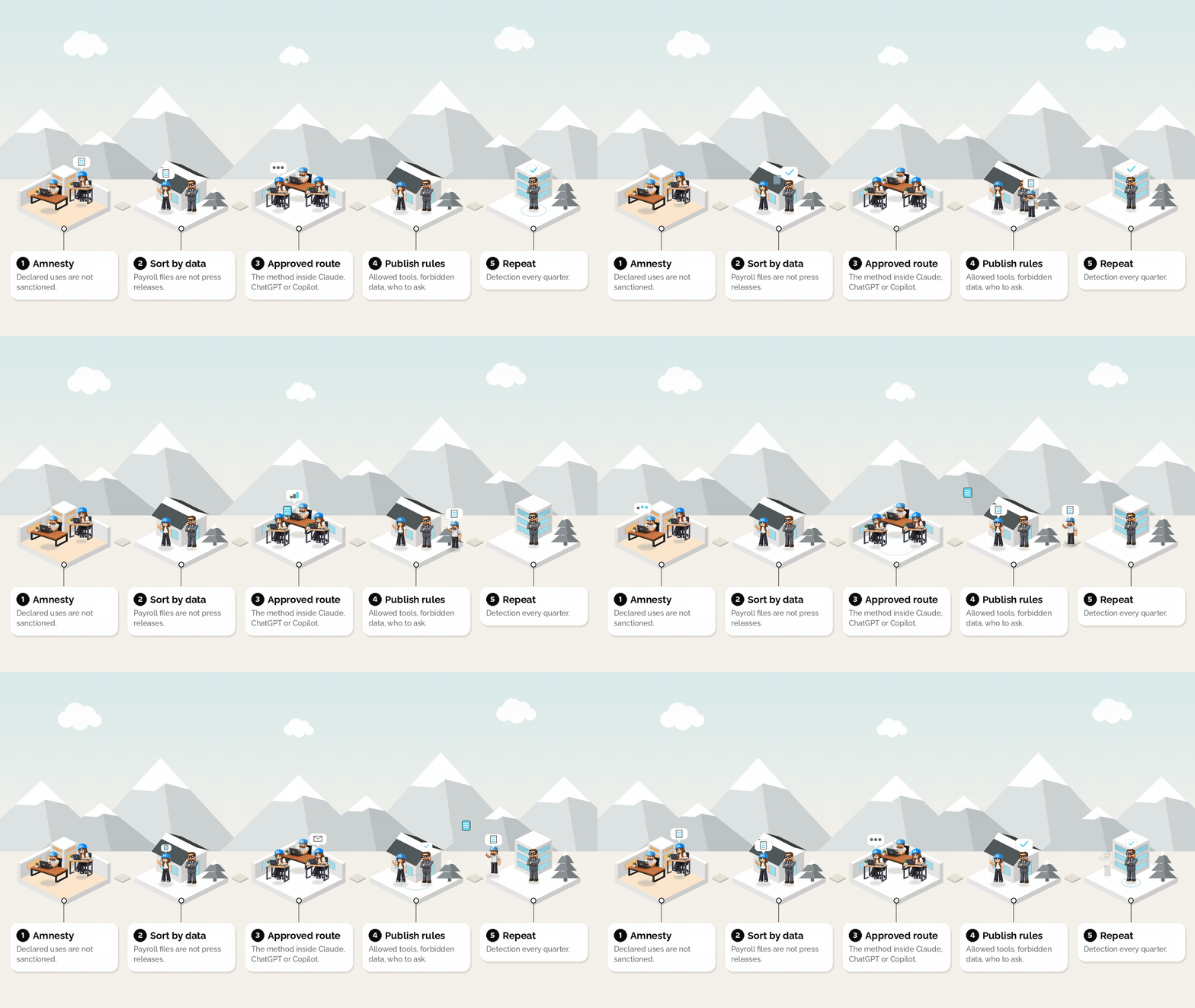
- Open an amnesty window. Declared uses are not sanctioned. The round table on AI and HR at the Salon RH 2026 in Lausanne recommended the same order: amnesty first, then a clear charter.
- Sort by data, not by tool. A public summary tool used on press releases is not the same risk as a personal account used on payroll files.
- Offer the approved route. Employees reach for personal accounts because the approved tool is slower or missing. Put the method they need inside Claude, ChatGPT or Copilot, with access the company controls.
- Publish the rules. An AI policy for employees that names the allowed tools, the forbidden data and the person to ask turns detection into a routine.
- Repeat the detection every quarter. New assistants, extensions and MCP servers appear every month.
skilder serves this third step. A team’s know-how becomes a role: its skills, its scoped MCP tools from an internal, curated registry and its access rights, configured from a blueprint and used from Claude, ChatGPT, Copilot Studio or any MCP-compatible agent. Each run leaves an execution trace attributed to the user, and the audit log can be exported. Guardrails, rules that check each tool call, are in beta. To see which of your shadow uses deserve an approved route first, a free 30-minute exchange with an expert helps structure AI adoption from what you found.
Takeaway: detect tools to understand needs, not to catch people, and give every finding an approved route before you give it a sanction.
To turn your first detection results into a plan, book a free 30-minute exchange with an expert.
Frequently asked questions
What does shadow AI refer to?
Shadow AI is the use of AI tools, accounts or agents for work without the approval or knowledge of the company. Typical cases are a personal ChatGPT or Claude account used on customer files, a browser extension that summarises emails, or an MCP server an employee plugs into an assistant. It is a form of shadow IT, with the difference that company data leaves for an external model.
How do you detect shadow AI?
Combine several signals rather than one tool: sign-ins and OAuth consents in the identity provider, traffic to AI services in network or DNS logs, browser extensions and apps on managed devices, expense claims for AI subscriptions, and the MCP servers configured in assistants. Then ask employees directly in an anonymous survey announced with an amnesty, because only they can say which task each tool serves.
Which shadow AI tools are most common?
Personal accounts on general assistants such as ChatGPT, Claude and Gemini come first, followed by AI browser extensions, meeting transcription tools and writing assistants built into other software. Technical teams add coding assistants and MCP servers that let an assistant act on company systems. In a Qualinsight study cited by PME in July 2026, 27% of AI users in French-speaking Switzerland worked without their employer's approval.
What are the main shadow AI risks?
The main risks are confidential or personal data sent to a provider the company has no contract with, decisions based on unchecked AI output, and tasks the business depends on that nobody can audit. Agents add a newer risk: an assistant connected through MCP can read or change data with the employee's own rights, and that traffic looks like normal use.
Can an employer monitor employees' use of ChatGPT?
Yes, within limits. In the European Union and in Switzerland, data protection law requires monitoring to be proportionate, transparent and announced in advance. Reviewing which AI services are reached from company systems is generally possible; reading every prompt of every employee rarely is. Check the measure with your data protection officer and explain to staff what is reviewed and why.
Should a company ban ChatGPT to stop shadow AI?
A ban alone rarely works, because employees switch to personal phones and accounts where the company sees nothing. Jean-Noël Ardouin of EY called the no-AI stance a joke at an EU Business School conference in November 2026, for that reason. A better order is an amnesty, an approved tool for the needs you found, and written rules on which data may go where.
Can AI detection tools prove that an employee used AI for a document?
No. Tools that score text as AI-written give probabilities, not proof, and a writing style can have many explanations. Access records can show that a work account reached an AI service, but not what was entered or how the result was used. Ask the employee about the process before drawing a conclusion, and keep detection focused on tools and data flows.
Related articles
-
November 24, 2026
From prompt sprawl to governed skills: a consolidation playbook
A playbook for team leads with prompts and custom GPTs scattered across tools: take an inventory without blame, prioritise, turn the best prompts into owned, versioned skills, then pilot, measure and retire.
-
November 19, 2026
AI governance: what it is and how to set it up in 90 days
What AI governance means in practice, who should own it, and a 90-day plan to move from no rules to a working system with owners, approved tools and evidence.
-
October 8, 2026
Shadow AI statistics 2026: the numbers, with their sources
Shadow AI statistics for 2026, each with its primary source and date: how many employees use unapproved AI, what data goes in, the governance gap and what shadow AI costs in breaches.